Unify anonymous and registered profiles
This use case keeps a visitor's activity attached to them as they go from an anonymous visitor to a registered user.
A visitor interacts with your application anonymously, so their activity is collected against a temporary profile. Later they self register and sign in. The Customer Data Directory associates that temporary profile with the new user. Because the profiles now share a user_id, they are merged into the one permanent profile, so the activity captured before registration stays attached to the account.
- The visitor interacts anonymously. A temporary profile is created and collects that activity.
- The visitor self registers and signs in. The temporary profile gets the new user's
user_id. The link comes from the profile cookie that WSO2 Identity Server reads, or from your backend through the link API. - Profiles that share a
user_idare merged automatically, and the permanent profile holds the activity from before registration. - If the browser keeps the profile cookie, later activity on that browser maps to the same user, whether they are signed in or browsing anonymously again.
Registration is the deterministic signal that ties the activity to the user, so no unification rule is required for this scenario.
Configure
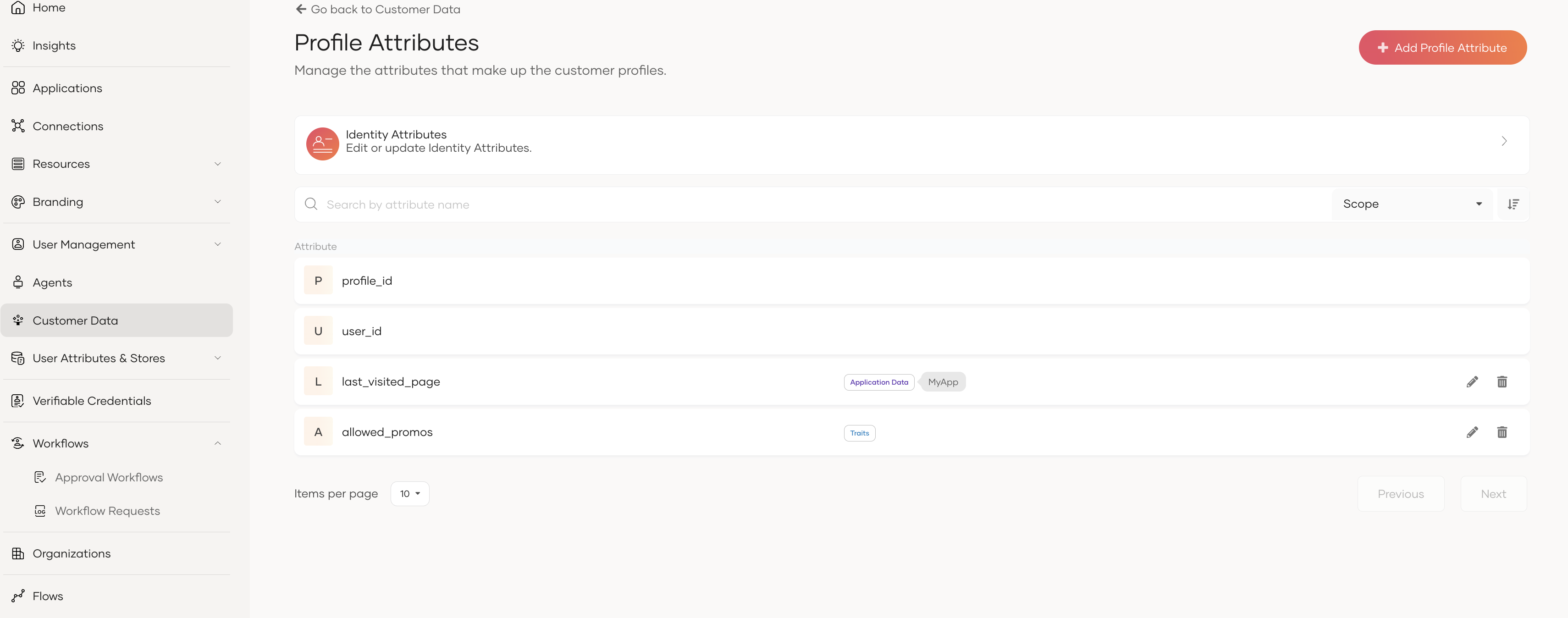
The activity captured is stored in profile attributes. Add the attributes your anonymous activity maps to from the console:
- Go to Customer Data, select Profile Attributes, and click Add Profile Attribute.
- Choose the Scope and set the Attribute name.
- Choose the Value type and the Merge strategy, which controls what happens to the value when the temporary profile merges into the permanent one. Use
Combinewith Allow multiple values to keep the values captured before registration alongside those added after. - Click Finish.
For the full field reference, see Manage profile attributes.
No unification rule is needed as the temporary and permanent profiles are matched by the user_id that the temporary profile gets when it is linked to the user.
Implement
1. Get an access token. Exchange your M2M application's credentials for a token. The token carries the iam-cds audience that the Customer Data Directory APIs require.
If your backend links profiles through the link API, also request the internal_cds_profile_link scope. See Link from your backend.
2. Create a temporary profile. When an anonymous visitor arrives, create a profile for them. The response returns the profile_id and the anonymous_profile_tracker. Store both values in the visitor's session on your server.
{
"profile_id": "a551bebd-2d2e-4e57-9f45-b02d7505670d",
"anonymous_profile_tracker": "526d5ef6-2648-48c4-b64d-82d3e0c271bf",
"meta": {
    "created_at": "2026-06-05T03:38:04.834627Z",
    "updated_at": "2026-06-05T03:38:04.834627Z",
    "location": "<your-organization-name>/cds/api/v1/profiles/a551bebd-2d2e-4e57-9f45-b02d7505670d"
    }
}
Note
The response also has a Set-Cookie header for the cds_profile cookie. This header goes to your backend, not to the visitor's browser. If you use the profile cookie, your backend must set the cookie in the browser.
If the visitor's browser already has a cds_profile cookie, send it in the Cookie header of this request. If that cookie is still active, the service returns the profile of the cookie with 200 OK and does not create a new profile.
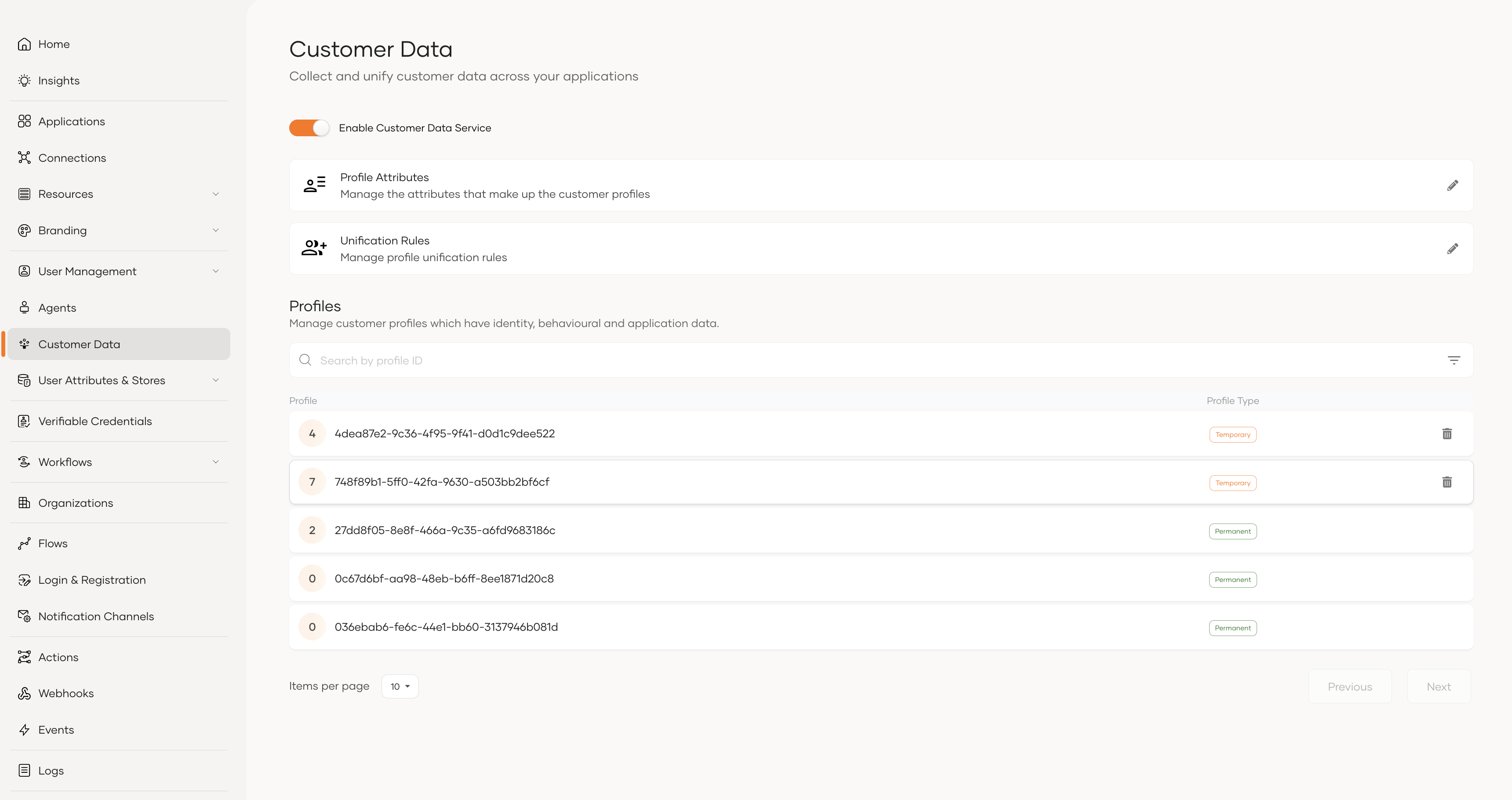
3. Capture activity against that profile. As the visitor acts, write the activity to their profile.
Where you write the value depends on the attribute's scope, and you must target the same scope the attribute was defined in:
traits— profile-wide data, shared across all your applications. Use this when the activity isn't tied to one application.application_data— data scoped to a single application, keyed by that application's ID. Use this when the value is meaningful only within one application.
4. Link the temporary profile to the new user. The Customer Data Directory must know which temporary profile belongs to the new user. Use one of these methods:
| Method | Use it when | What links the profile |
|---|---|---|
| Profile cookie | Your application and the WSO2 Identity Server sign-in and registration pages use the same parent domain. | WSO2 Identity Server reads the cds_profile cookie when the visitor registers and when the user signs in. |
| Link API | Your application uses a different domain, or the browser cannot send the cookie to WSO2 Identity Server. | Your backend calls the link API after the user signs in. |
Choose the method that fits your setup. You can also use the two methods together. If the profile is already linked to the same user, the link API makes no change.
5. Profiles merge automatically. Profiles that share the same user_id are merged into the permanent profile, which now holds the pre-registration activity.
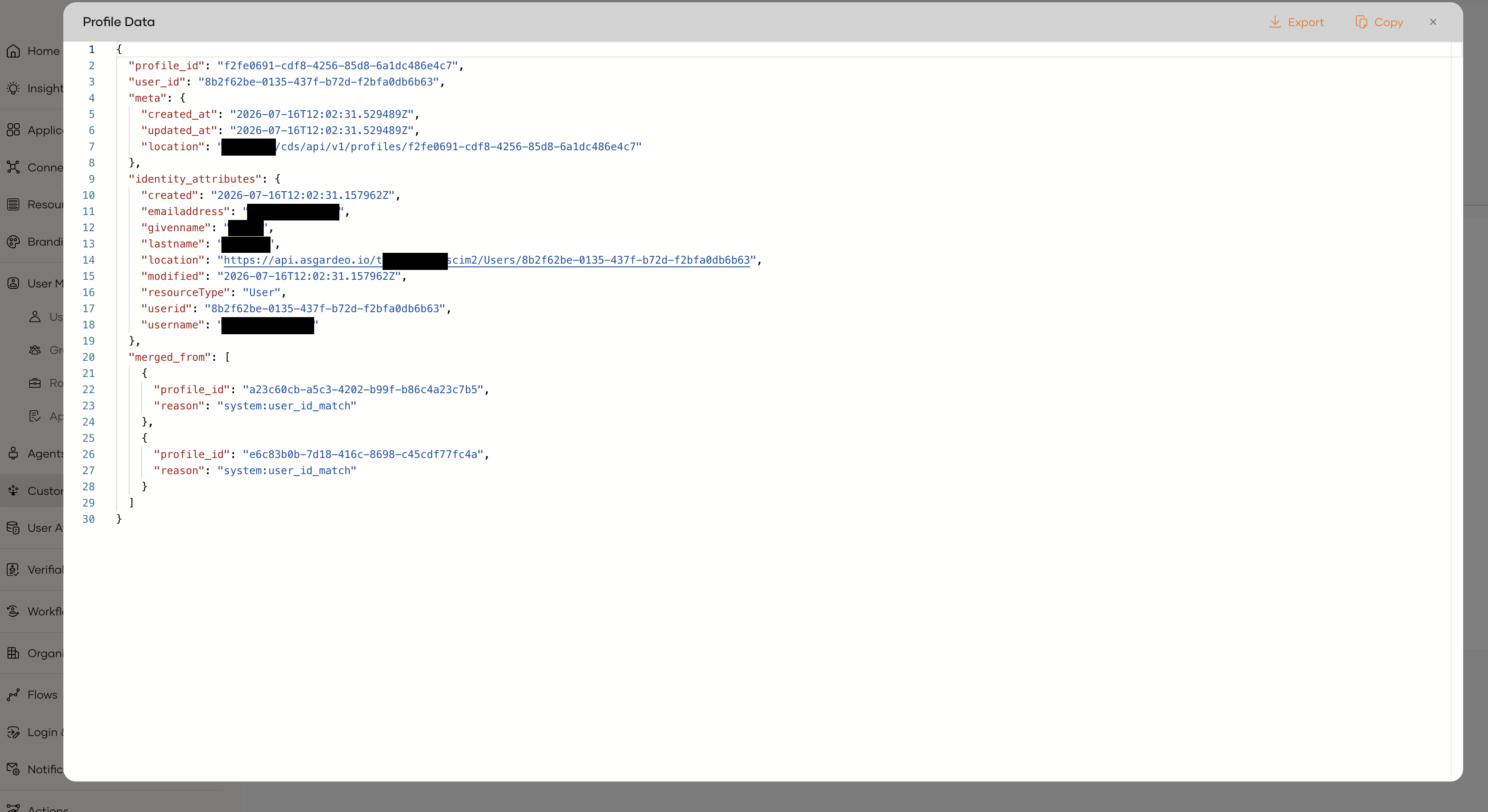
Link with the profile cookie
A browser sends a cookie only to the domain for which the cookie is set. Thus, the cds_profile cookie gets to WSO2 Identity Server only when your application and the WSO2 Identity Server pages use the same parent domain.
Note
Serve WSO2 Identity Server on a host name under the parent domain of your application. For example, if your application runs on www.example.com, use login.example.com for WSO2 Identity Server. If this is not possible, link from your backend.
-
Set the
cds_profilecookie in the visitor's browser. Do this in your backend, in the response to the visitor, after you create the temporary profile in step 2. Use theanonymous_profile_trackeras the value of the cookie.Set-Cookie: cds_profile=<anonymous_profile_tracker>; Domain=example.com; Path=/; Secure; HttpOnly; SameSite=LaxAttribute Value DomainThe parent domain of your application and WSO2 Identity Server, for example example.com.Path/SecureSet it. The browser then sends the cookie only over HTTPS. HttpOnlySet it. Scripts on the page then cannot read the cookie. SameSiteLax. Do not useStrict. A browser does not send aStrictcookie in a navigation that another site starts, for example the return from a social login provider.Max-AgeorExpiresOptional. Keep the cookie for as long as you keep the anonymous activity of the visitor. -
When the visitor self registers, the WSO2 Identity Server registration page reads the
cds_profilecookie and sends its value with the registration. When WSO2 Identity Server creates the user, the Customer Data Directory gives the temporary profile theuser_idof the new user. -
When the user signs in, WSO2 Identity Server reads the
cds_profilecookie again. If the profile of the cookie does not have a user yet, it gets theuser_idof the user who signed in. If that user already has a permanent profile, the two profiles merge.
Link from your backend
With the link API, your backend links the temporary profile to the user after the user signs in. This method has no domain requirement.
-
Authorize your M2M application for the
internal_cds_profile_linkscope. Add this scope to the token request in step 1. In a child organization, use theinternal_org_cds_profile_linkscope and the path of the organization. See Customer data in organizations. -
After the user self registers and signs in to your application, get the user ID. By default, the
subclaim of the ID token holds the user ID.Note
If you configured an alternate subject attribute for the application, the
subclaim does not hold the user ID. Then get the user ID from a different attribute. -
Call the link API. Send the
profile_idfrom the visitor's session and the user ID.